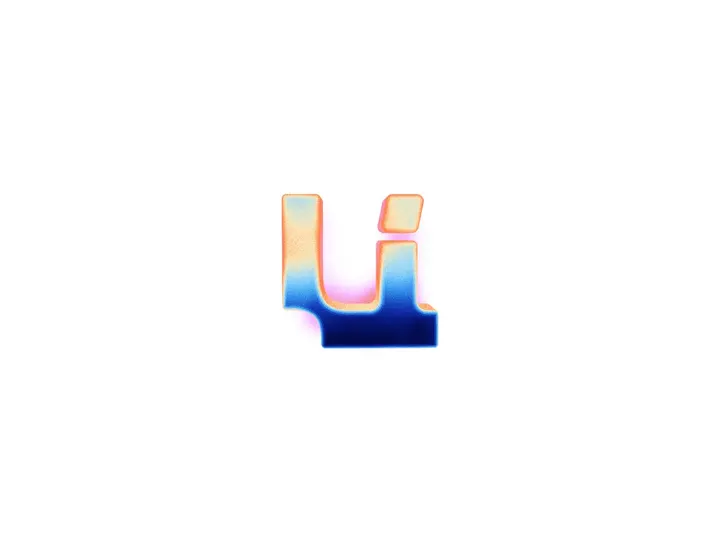
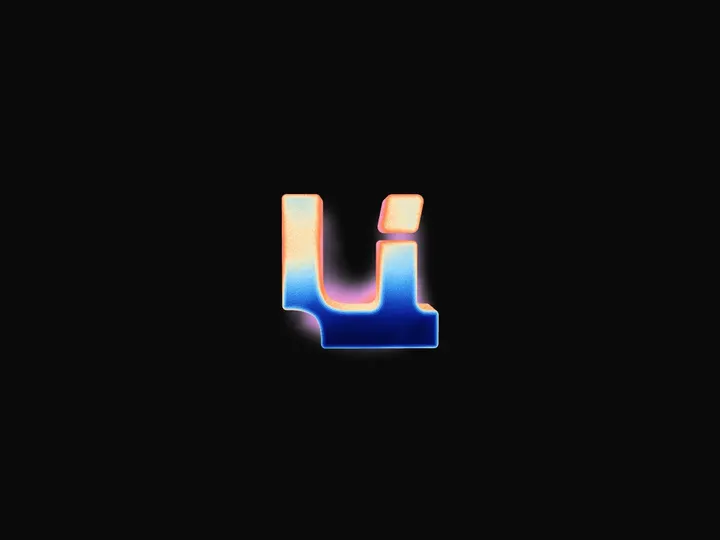
Glass Icon
ProCustomize
Note
Logo size1.07
Logo colour
Logo depth0.83
Logo glow0.30
Size320px
Aspect1.00
Radius0.65
Corner smoothing3.0
Thickness0.13
Bevel0.09
Curvature0.65
Auto
Tint
IOR1.38
Refraction1.50×
Dispersion1.45×
Frost0.00
Ripple0.30×
Rim tint
Reflection0.65×
Shine1.30×
Edge0.25×
Flows2
Flow colours
Flow intensity1.35
Flow width0.09
Flow length0.21
Flow glow0.55
Merge1.10
Static
Flow start0.47
Rim burn3.00×
Tilt14°
Sway3.0°
Wave1.50×
Wave duration1.5s
Speed1.0×
High
Panel
Installation
ProGlass Icon is a Pro component
Sign in to see the source, or install it with a license key. The live preview and props above are free to explore.
Install with a key
- Add the Pro registry to
components.json:components.json { "registries": { "@uibrik-pro": { "url": "https://uibrik.com/r/pro/{name}.json", "headers": { "Authorization": "Bearer ${UIBRIK_LICENSE}" } } } } - Put your key in
.env.localand add that file to.gitignore:.env.local UIBRIK_LICENSE=your-license-key - Install it:
Terminal npx shadcn@latest add @uibrik-pro/glass-icon
Loading your installation…
Usage
import { GlassIcon } from "@/components/uibrik/glass-icon/glass-icon";<GlassIcon logo="note" logoScale={1.07} logoColor="#ffffff" logoDepth={0.83} logoGlow={0.3} size={320} aspect={1} radius={0.65} smoothing={3} thickness={0.13} bevel={0.09} curvature={0.65} theme="auto" tint="#03040a" ior={1.38} refraction={1.5} dispersion={1.45} frost={0} ripple={0.3} rimTint="#7d8fa6" reflection={0.65} shine={1.3} edge={0.25} flows={2} flowColors={[]} flowIntensity={1.35} flowWidth={0.09} flowLength={0.21} flowGlow={0.55} merge={1.1} flowMotion="static" flowStart={0.47} rimBurn={3} tilt={14} sway={3} wave={1.5} waveDuration={1.5} speed={1} quality="high" label="Glass icon" // logoPath="…" // logoSrc="…"/>Props
GlassIcon- logo
- Type "note" | "bolt" | "heart" | "play" | "sparkles" | "text"
- "note"
- A built-in logo, or text. Pass logoPath or logoSrc for your own.
- text
- Type string
- "UI"
- Characters to set in the glass.
- logoScale
- Type number
- 1.07
- Logo size, as a share of the glass.
- logoColor
- Type string
- "#ffffff"
- Multiplies the logo's colours. Left at its default, the theme picks it.
- logoDepth
- Type number
- 0.83
- How deep the logo floats: 0 at the front face, 1 at the back.
- logoGlow
- Type number
- 0.3
- Soft halo around the logo.
- size
- Type number
- 320
- Width of the frame. The glass fills about 82% of it.
- aspect
- Type number
- 1
- Width over height.
- radius
- Type number
- 0.65
- Corner radius, as a share of half the shorter side.
- smoothing
- Type number
- 3
- 2 is a circular arc, higher is a smoother squircle.
- thickness
- Type number
- 0.13
- Thickness of the slab, as a share of its width.
- bevel
- Type number
- 0.09
- Width of the rounded bevel.
- curvature
- Type number
- 0.65
- How much the front face bulges like a lens.
- theme
- Type "auto" | "dark" | "light"
- "auto"
- Dark glass with a white logo, or pale glass with a black one. Auto follows the page.
- tint
- Type string
- "#03040a"
- Colour of the glass. Left at its default, the theme picks it.
- ior
- Type number
- 1.38
- Index of refraction. Glass is about 1.5.
- refraction
- Type number
- 1.5
- How far the glass bends light.
- dispersion
- Type number
- 1.45
- How far the colours split apart.
- frost
- Type number
- 0
- Blurs what's seen through the glass.
- ripple
- Type number
- 0.3
- How much the light stretched along the bevel wavers, like a reflection on water.
- rimTint
- Type string
- "#7d8fa6"
- Colour the clear rim takes on. Left at its default, the theme picks it.
- reflection
- Type number
- 0.65
- Reflections of a soft studio on the surface.
- shine
- Type number
- 1.3
- Sharp glint of the key light on the bevel.
- edge
- Type number
- 0.25
- Brightness of the thin line along the edge.
- flows
- Type number
- 2
- Pools of the logo's colour lying in the rim, spaced evenly from the bottom left. They flow into the logo where they meet it.
- flowColors
- Type string[]
- []
- Colour of each flow. Empty uses the logo's colour.
- flowIntensity
- Type number
- 1.35
- Brightness of the flows. Above 1 they glow on dark glass.
- flowWidth
- Type number
- 0.09
- How far each flow reaches in from the rim.
- flowLength
- Type number
- 0.21
- Length of each flow along the rim, in turns.
- flowGlow
- Type number
- 0.55
- Soft haze around each flow.
- merge
- Type number
- 1.1
- How readily the flows run into the logo and merge with it.
- flowMotion
- Type "static" | "orbit" | "pointer"
- "static"
- Flows stay put, circle the rim, or the first follows the pointer.
- flowStart
- Type number
- 0.47
- Where round the rim the first flow sits, clockwise from the bottom left.
- rimBurn
- Type number
- 3
- Warm burn, yellow to red, where the flows meet the rim.
- tilt
- Type number
- 14
- Most the slab tilts toward the pointer.
- sway
- Type number
- 3
- Idle sway.
- wave
- Type number
- 1.5
- Strength of the slow water wave a click sends through the glass and the logo. 0 turns it off.
- waveDuration
- Type number
- 1.5
- How long a click's wave takes to roll out and settle.
- speed
- Type number
- 1
- Speed of the ripple, the flows and the sway. 0 holds still.
- quality
- Type "auto" | "low" | "medium" | "high"
- "high"
- Ray samples per pixel. Auto uses fewer on low-end devices.
- logoPath
- Type string
- –
- Your own logo as an SVG path d on a 24 × 24 grid. Overrides logo.
- logoSrc
- Type string
- –
- Your own logo as an image URL (same-origin or CORS-enabled). Overrides logo and logoPath.
- label
- Type string
- "Glass icon"
- Read out to screen readers.
- className
- Type string
- –
- Classes for the frame.