Updated
Agent Workspace
ProCustomize
Speed1.00×
Height640px
Installation
ProAgent Workspace is a Pro component
Sign in to see the source, or install it with a license key. The live preview and props above are free to explore.
Install with a key
- Add the Pro registry to
components.json:components.json { "registries": { "@uibrik-pro": { "url": "https://uibrik.com/r/pro/{name}.json", "headers": { "Authorization": "Bearer ${UIBRIK_LICENSE}" } } } } - Put your key in
.env.localand add that file to.gitignore:.env.local UIBRIK_LICENSE=your-license-key - Install it:
Terminal npx shadcn@latest add @uibrik-pro/agent-workspace
Loading your installation…
Usage
import { AgentWorkspace } from "@/components/uibrik/agent-workspace/agent-workspace";const steps = [ { kind: "message", role: "user", text: "Add rate limiting to the login route. Five attempts a minute per IP is enough.", tokens: 1840 }, { kind: "tool", tool: "think", label: "Planned the change", ms: 700, tokens: 2310 }, // …7 more];const plan = [ { label: "Find the login handler", until: 3 }, { label: "Add a fixed-window limiter keyed by IP", until: 5 }, // …2 more];<AgentWorkspace requireApproval speed={1} play model="Sonnet 5.5" branch="feat/login-rate-limit" height={640} steps={steps} plan={plan} costPerMillion={6} pullRequestTitle="Rate-limit login attempts per IP" onSend={[(text) => {}]} onCreatePullRequest={(input) => {}} onAccept={(paths) => {}} onRevert={(path) => {}} // files={[{ path: "…", status: "added", diff: "…" }]}/>Where to use Agent Workspace
Coding agents
Chat, tool calls and diffs side by side let developers watch an agent work and review every edit before it lands.
Pairs with Agent Trace and Tool Call
Human-in-the-loop AI
Approval mode stops before each edit and previews the proposed diff, so nothing changes without a yes.
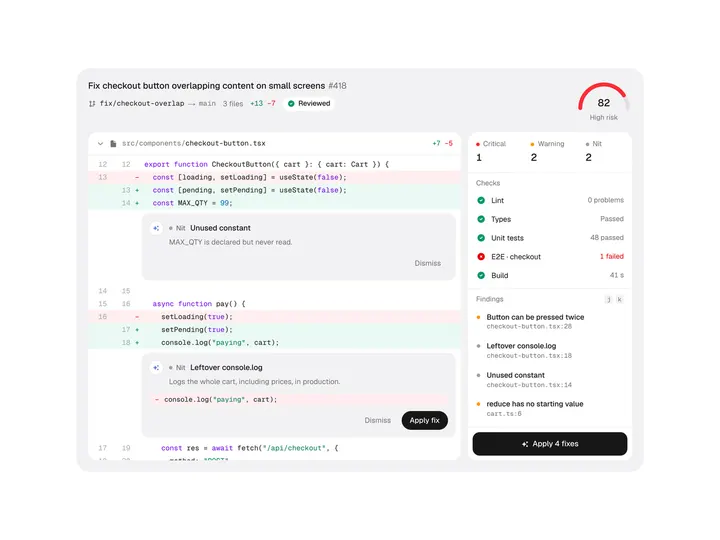
Pairs with Inline Confirm and AI Code Review
AI product demos
A scripted run plays on its own when scrolled into view, showing the whole loop from request to passing tests.
Pairs with Terminal Demo and Streaming Chat
Props
AgentWorkspace- requireApproval
- Type boolean
- true
- Ask before each edit is applied, with the proposed diff shown.
- speed
- Type number
- 1
- Playback speed of the run.
- play
- Type boolean
- true
- Play the run; off shows it finished.
- model
- Type string
- "Sonnet 5.5"
- Model named in the run header.
- branch
- Type string
- "feat/login-rate-limit"
- Branch the agent works on.
- height
- Type number
- 640
- Height of the workspace on wide screens.
- steps
- Type ({ kind: "message"; role: "user" | "agent"; text: string } | { kind: "tool"; tool: "think" | "search" | "read" | "edit" | "run"; label: string; detail?: string; output?: string; file?: string; ms?: number })[]
- –
- The run, in order. An edit step's file points at one of files; a test run's checks show in the header.
- files
- Type { path: string; status: "added" | "modified"; diff: string }[]
- –
- Files the run edits. diff is a unified body: lines start with +, - or a space.
- plan
- Type { label: string; until: number }[]
- –
- The agent's plan, shown under its first thinking step. A line ticks off once the step at index until finishes.
- costPerMillion
- Type number
- 6
- Blended price per million tokens, for the cost in the header. Steps carry tokens.
- onSend
- Type (text: string) => WorkspaceStep[] | Promise<WorkspaceStep[]>
- –
- A follow-up from the composer. Return the steps to play next.
- onCreatePullRequest
- Type (input: { title: string; files: string[] }) => Promise<{ number: number; url?: string }>
- –
- Opens a pull request with the accepted files. Resolve with its number and link to show them.
- pullRequestTitle
- Type string
- –
- The pull request title the review bar starts with.
- onAccept
- Type (paths: string[]) => void
- –
- Called when files are accepted, one or all.
- onRevert
- Type (path: string) => void
- –
- Called when a file is reverted.
- className
- Type string
- –
- Classes for the root.