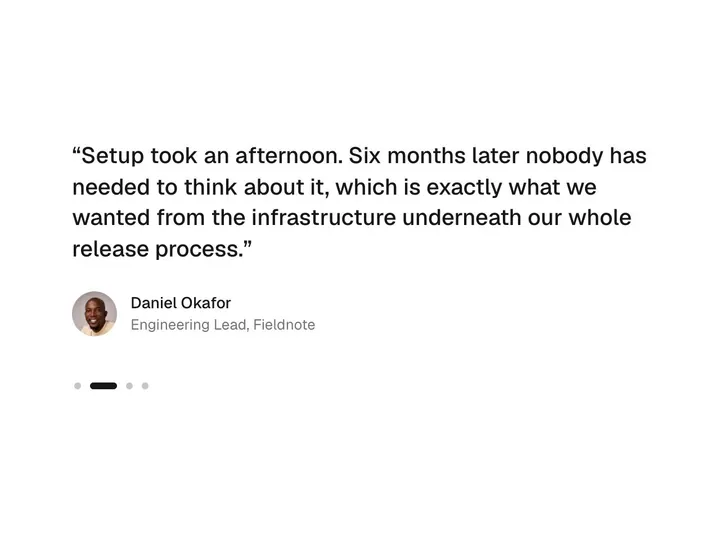
Mesh Testimonial
ProCustomize
all
Interval4000ms
Card width300px
Gap16px
Radius32px
Aspect0.70
auto
Scrim0.70
Distortion1.00
Swirl1.00
Speed1.0
Grain0.040
Installation
ProMesh Testimonial is a Pro component
Sign in to see the source, or install it with a license key. The live preview and props above are free to explore.
Install with a key
- Add the Pro registry to
components.json:components.json { "registries": { "@uibrik-pro": { "url": "https://uibrik.com/r/pro/{name}.json", "headers": { "Authorization": "Bearer ${UIBRIK_LICENSE}" } } } } - Put your key in
.env.localand add that file to.gitignore:.env.local UIBRIK_LICENSE=your-license-key - Install it:
Terminal npx shadcn@latest add @uibrik-pro/mesh-testimonial
Loading your installation…
Usage
import { MeshTestimonials } from "@/components/uibrik/mesh-testimonial/mesh-testimonial";<MeshTestimonials variant="all" autoplay interval={4000} cardWidth={300} gap={16} radius={32} aspect={0.7} tone="auto" scrim={0.7} distortion={1} swirl={1} speed={1} grain={0.04} interactive animate label="Testimonials" // items={[{ name: "…", message: "…" }]}/>Props
MeshTestimonials- variant
- Type "all" | "spotlight"
- "all"
- "all" paints every card; "spotlight" paints only the active one, and the rest rest as plain cards that light up as they arrive.
- align
- Type "start" | "center"
- "start"
- Where the active card sits in a spotlight row: the start of the row, or its centre. An "all" row is always centred.
- autoplay
- Type boolean
- true
- Step to the next card on its own. Holds while hovered, while a key has focus inside, and off screen.
- interval
- Type number
- 4000
- Time on each card with autoplay.
- cardWidth
- Type number
- 300
- Width of each card. Narrows on small screens so the next card peeks in.
- gap
- Type number
- 16
- Space between cards.
- radius
- Type number
- 32
- Corner radius.
- aspect
- Type number
- 0.7
- Width divided by height; below 1 is taller than wide. A card grows if its text needs it.
- tone
- Type "auto" | "light" | "dark"
- "auto"
- Text colour. Auto picks white or near-black from how dark each card's colours are.
- scrim
- Type number
- 0.7
- How much the paint behind the text is toned down.
- distortion
- Type number
- 1
- How far the edges between colours wander.
- swirl
- Type number
- 1
- How strongly the pointer stirs the paint.
- speed
- Type number
- 1
- Animation speed; 1 is the designed pace.
- grain
- Type number
- 0.04
- Film grain strength.
- interactive
- Type boolean
- true
- The pointer stirs the paint.
- animate
- Type boolean
- true
- Move on its own. Off draws one still frame.
- items
- Type { name: string; role?: string; message: string; avatar?: string; color?: string; colors?: string[] }[]
- SAMPLE_TESTIMONIALS
- The cards. `color` paints a card in shades of one colour; `colors` (2 to 6 hex, deepest first: the first two sit behind the text) makes it multi-colour. Cards with neither take the next colour from a built-in set.
- label
- Type string
- "Testimonials"
- Accessible name for the row.
- className
- Type string
- –
- Classes for the wrapper. Set `--gutter` to change the space before the first card (16px, 24px from sm).